
Editing an Analysis Profile
About this task
Procedure
To edit an Analysis Profile:
-
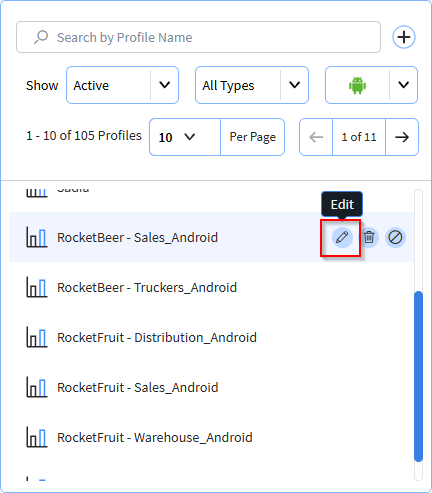
In the Analysis Profile view, hover over the profile you want to edit then
select Edit. The Analysis Profile wizard launches.
- From the Analysis Profile wizard (see Creating an Analysis Profile), edit the profile name, description, SOTI MobiControl configuration, data collection settings and watchlists.