
Generate XSight Agent
Before you begin
The SOTI XSight Agent is a software component that allows SOTI XSight to collect data from devices and send it to the SOTI XSight server for processing and analysis. This agent must be installed on any Android or Windows device that you want to monitor and analyze. The SOTI XSight Agent works in conjunction with the SOTI MobiControl agent to gather and transmit data.
For Windows devices, SOTI XSight Agent requires the following:- Windows 10 version 10.0.17763.0 or later
- x64 architecture
About this task
Configure and receive a package file and then deploy it through SOTI MobiControl.
Note: If you have installed the SOTI XSight Chat Service, the following steps automatically
include the SOTI XSight Chat Service APK.
Important: SOTI XSight displays an
'XSight is running' notification after being deployed. To disable the notification
you must do so manually at the device level.
Procedure
-
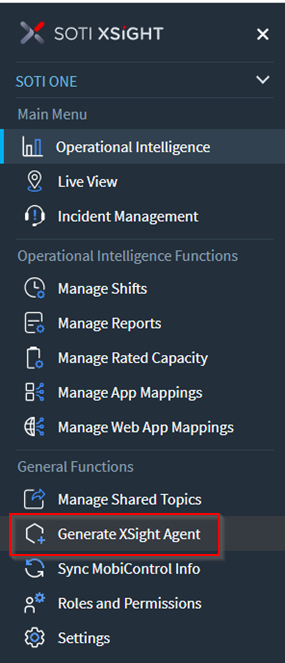
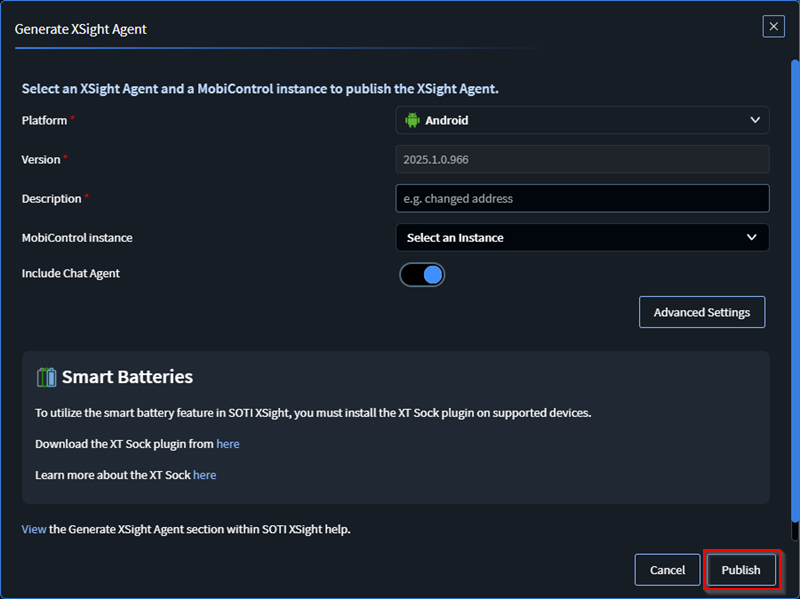
Select Generate XSight Agent from the main SOTI XSight menu. The Generate XSight
Agent window opens.
-
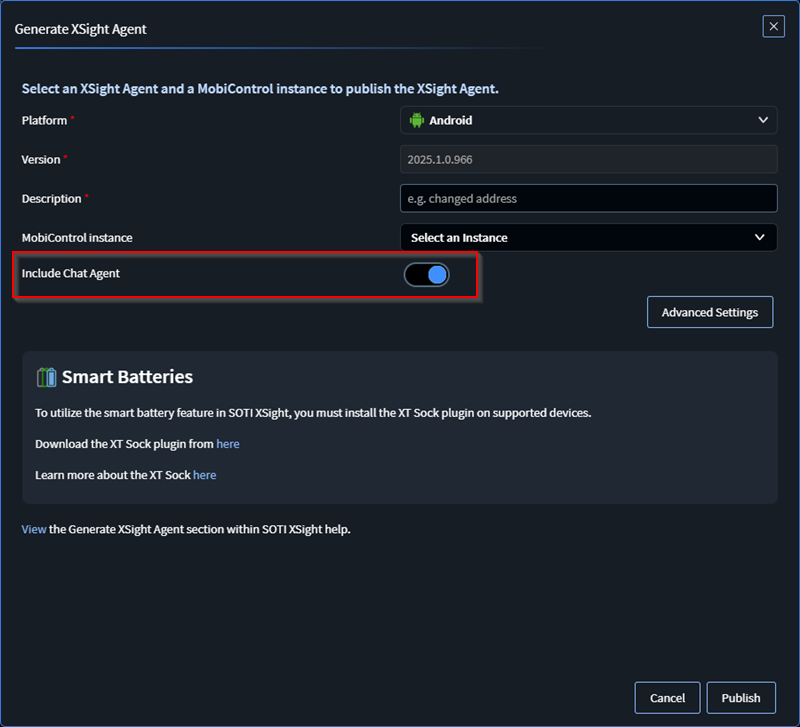
In the Generate XSight Agent panel, enter the
Platform, Version,
Description and MobiControl
Instance. Refer to the table below for a description of these
settings.
Note: When selecting the Android platform, a toggle appears allowing you to include the Chat Agent.
Setting Description Platform Select the mobile platform where you are deploying the agent. Choices:
- Android
- Windows
- Linux
Note: Sensor Matrix– The new Linux SOTI XSight agent is designed for use with Raspberry PI devices, which can function as fixed location sensors. You can install these sensors on a grid, or at key locations to provide various metrics. You can configure sensor matrices for various types of measurements, such as air quality, humidity, and Wi-Fi/cellular signal quality.Version Select a SOTI XSight agent version. Description Indicate why you are deploying the agent. The description is for auditing purposes only. It is not the name displayed in SOTI MobiControl. Note: This field has a 30 character limit.MobiControl Instance Select the SOTI MobiControl instance to deploy the SOTI XSight agent. Note: When selecting the Android platform, a toggle appears allowing you to include the Chat Agent. -
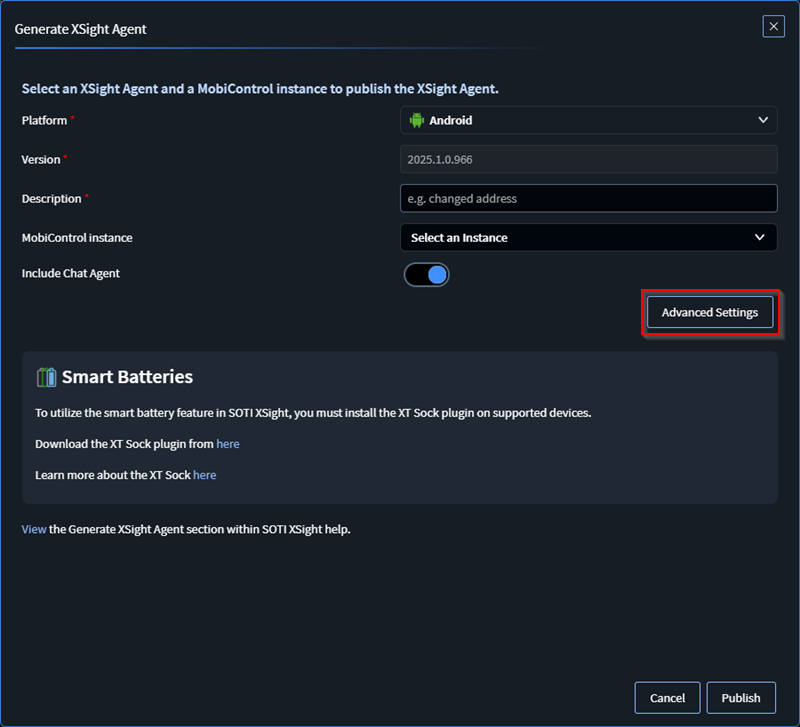
Select Advanced Settings, the Advanced Settings panel
displays:
-
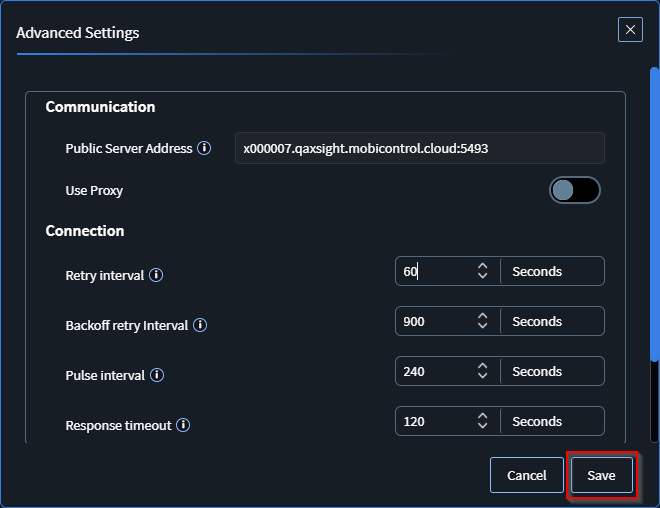
In theAdvanced
Settings panel, adjust the agent communication and
connection settings as needed and then select Save.
-
Select Publish to generate a package.
-
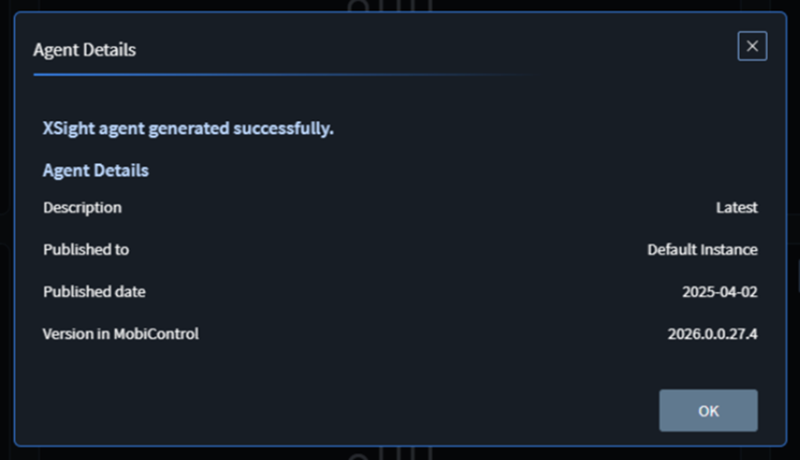
The Agent Details panel displays, confirming that the
agent has been successfully generated. Select OK.
- In SOTI MobiControl, assign the new package to a profile to deploy to devices (see Using Profiles).
Results
Note: For Windows devices, the agent
installer automatically downloads and installs the .NET 6 runtime during the agent
installation.