Configuring SOTI Surf for Web App Analytics

SOTI XSight integrates with SOTI Surfto provide actionable insights into the performance and usage of your web apps through the Web App Usage Dashboard and Web App Spotlight. See SOTI XSight Web App Usage for more details.

Before you begin

Users must be using SOTI MobiControl version 2025.0 or later with the SOTI Surf application version 2025.0.0 or later.

About this task

Configure SOTI Surf on your enterprise devices to start gathering performance metric data for analysis withSOTI XSight. Performance metrics help you assess web app responsiveness and stability by tracking key data, including:
  • Web app usage time
  • Top visited websites
  • Load time
  • Time to first byte
  • HTTP errors
  • SSL errors
  • WebView errors and more.

Procedure

  1. Create a SOTI Surf profile.
  2. In the General tab of the SOTI Surf profile payload, toggle on Surf Analytics with XSight.
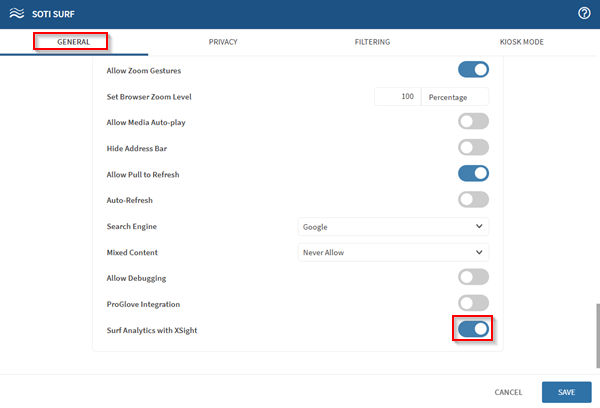
    Toggling on the Surf Analytics with XSight option in an Android Classic SOTI Surf profile configuration payload.

Results

User data from SOTI Surf becomes available to SOTI XSight for analysis.